
TRIVIA 360: Quiz Game
Smart Owl AppsTrivia
4.44.44K Reviews
- Version
- 2.5.0
- Installs
- 10.00M
- Age Rating
- Everyone
Screenshots
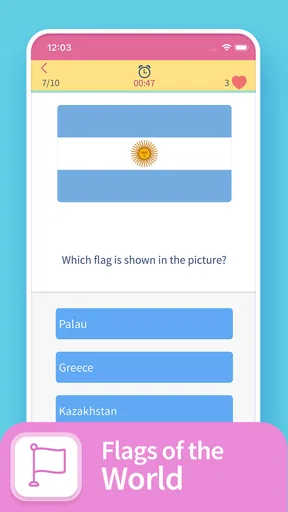
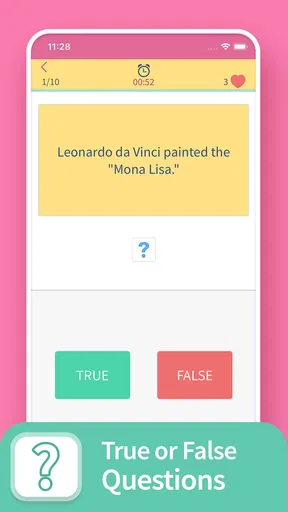
Our Review of TRIVIA 360: Quiz Game
 Analysis by Appyee
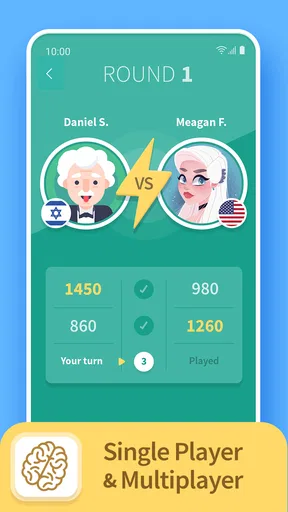
I spent time with TRIVIA 360 as a quick quiz game rather than treating it like a study tool, and that distinction matters. Its main appeal is the ability to move between solo play and multiplayer sessions without turning a short break into a complicated setup. I can open it when I have a few spare minutes, answer a handful of questions, and stop without feeling committed to a long campaign. When friends or family are nearby, the same basic trivia idea becomes more social.
That flexibility is the strongest reason I would recommend it. Many quiz games are either built around individual progress or designed mainly for head-to-head competition. Here, I found the change in context more useful than any single question category. I can play alone when I want a quiet mental warm-up, then use the multiplayer option when the room needs an easy activity. It is a free game from Smart Owl Apps, rated for Everyone, so it is also approachable for mixed-age groups.
One quiz game that changes character between solo and multiplayer
I like that the switch between solo and multiplayer changes what I pay attention to: on my own, I can follow the questions at my pace, while a group adds discussion and the fun of comparing guesses. That flexibility is useful, but it also shapes what I would expect from continued play. The next thing I consider is whether the game gives a casual player enough reason to set a small goal and return.
The capability that shapes the experience
The central capability is the choice between single-player and multiplayer trivia. That sounds simple, but it affects how I use the game. In solo play, I focus on the questions themselves and treat mistakes as useful clues about what I know or have forgotten. In a group, the same question becomes a prompt for discussion, quick guesses, and friendly disagreement. The game therefore works in two different moods without requiring me to install separate apps.
I like that this makes the app suitable for short, irregular sessions. I do not need to reserve an evening for it. A few rounds can fill a wait, a commute break, or the quiet minutes before dinner. The multiplayer side is especially handy when people want something more active than conversation but less demanding than a full board game. The barrier to starting is low: trivia is familiar, and most players understand the goal immediately.
Still, the two modes do not deliver the same kind of satisfaction. Solo play is better when I want a personal challenge, while multiplayer is better when the group enjoys reacting out loud. If everyone wants a carefully balanced competitive experience with elaborate rankings, tournament structure, or a deep progression system, this is probably too lightweight. Its strength is accessibility, not the feeling of entering a large organized league.
How the questions feel in practice
Playing a quiz game well is not only about knowing facts. Timing, confidence, and the willingness to make an educated guess all affect the experience. I found myself switching between quick answers and slower consideration depending on how familiar a subject felt. That variety keeps the session from becoming a simple memory test. A question I miss can still be enjoyable if it teaches me something or starts a conversation with another player.
For solo sessions, I recommend treating wrong answers as part of the entertainment instead of chasing a perfect run. That mindset makes the game more relaxing and helps expose gaps in general knowledge. For multiplayer sessions, it is worth letting each person explain their guess before the answer is revealed. The app becomes more engaging when players compare reasoning rather than simply celebrating the fastest response.
One practical tip is to use the game as a short social reset rather than promising a fixed number of rounds. That keeps the pace comfortable for players with different attention spans. Someone who enjoys trivia can continue, while someone who is less confident can leave after a brief session. This is a better fit for casual groups than imposing a long match on everyone.
A realistic everyday use case
Imagine a family waiting for food at a restaurant, with everyone looking at their phones and conversation beginning to fade. I could start a multiplayer session and give the group a shared activity that needs no preparation beyond opening the game. Confident players can answer quickly, while others can join in by discussing possibilities. Because the content is trivia rather than a complicated strategy system, younger and older players can understand the basic interaction.
The same situation works with coworkers during a break, although I would keep the tone casual. Trivia can reveal surprising strengths: the person who says little in ordinary conversation may know an unexpected amount about a subject, while the most confident guesser may not always be right. That makes the game a useful icebreaker, but I would avoid presenting it as a serious test of intelligence. A missed question should remain a joke or a learning moment, not a reason for anyone to feel embarrassed.
Solo use has a different everyday value. I can play when I want a small mental diversion but do not want the endless scrolling of a social feed. A short quiz session gives me a clearer beginning and end. It is also easier to put down than a game built around constant upgrades or an ongoing world. For that reason, I see it working particularly well for people who want occasional stimulation rather than a new daily obligation.
Where it fits beside other trivia choices
Compared with a traditional trivia board game, this is more convenient because I do not need question cards, a board, tokens, or someone to act as host. That convenience comes at the cost of the physical presence and ritual that make tabletop games memorable. A board game is usually better for a planned gathering, while this app is better for an unplanned few minutes or a group that is already holding phones.
Compared with a dedicated learning app, the emphasis here is entertainment. I would not use it as my main way to prepare for an exam or build a structured curriculum. A learning-focused alternative is more suitable when I need explanations, lessons, revision tracking, or a deliberate path through one subject. This game is a better choice when I want broad curiosity and a little competition without turning the activity into homework.
Compared with a large online quiz community, the multiplayer appeal here feels more immediate and personal. A global competitive service may offer a stronger sense of constant matchmaking or public comparison, but that can also make a casual player feel pressured. I prefer this style when the people around me are the main audience. It encourages a room to play together instead of making everyone feel they are competing against an invisible crowd.
The tradeoffs I noticed
The free price makes it easy to try, but the experience includes in-app purchases costing $1.99 per item. I would begin without buying anything and decide whether the free experience already gives me enough variety and replay value. The purchase option is not automatically a problem, yet it is worth remembering if the game becomes a frequent habit. Small optional payments can add up when a player starts treating them as routine rather than occasional extras.
The game’s age rating of Everyone is helpful for households, but an all-ages rating does not mean every question will suit every player equally. Children may enjoy the quick format while finding some subjects unfamiliar, and adults may have the opposite experience. I would use multiplayer as a way to balance that difference: players can contribute from their own areas of knowledge instead of expecting one person to dominate every round.
Another tradeoff is depth. The solo and multiplayer choice gives the game useful range, but it does not by itself create a long-term reason to return for every type of player. If I want a detailed personal profile, a serious competitive ladder, or a strong narrative layer, I would look elsewhere. This is a game I return to for accessible questions and flexible sessions, not for a complex progression journey.
There is also a social limitation that is easy to overlook. Multiplayer trivia works best when the people involved are willing to talk, guess, and accept mistakes. In a group where everyone wants to play silently or where one person answers every question, the mode loses much of its charm. I would set a simple rule before starting: give everyone time to guess, and do not turn every answer into a debate. That small adjustment makes the experience fairer and more welcoming.
Who gets the most from it
I think the best audience is someone who wants a free, approachable trivia game that can serve both personal play and informal gatherings. It suits casual players, families, friends looking for a quick activity, and people who enjoy testing general knowledge without committing to a large game. It is also a reasonable choice for someone who prefers games that can be paused naturally rather than demanding a long uninterrupted session.
People who enjoy learning through conversation may get more from it than players who only care about winning. My favorite use is to follow a surprising answer with a short discussion: why someone chose it, whether another player knew it already, and what clue might have helped. That turns an isolated question into a shared memory. It is a small but meaningful difference from simply tapping through answers alone.
I would be more cautious about recommending it to serious trivia specialists who need precise subject coverage or a highly competitive environment. It may also disappoint players who prefer action, story, puzzles with several steps, or a carefully structured educational course. Those users would be better served by an app designed around their specific goal. The multiplayer option does not transform this into a full party-game collection, and the solo option does not make it a replacement for formal study.
Practical details before installing
TRIVIA 360 is available as a free game, and its current version is 2.5.0. It requires Android 5.0 or later, which makes it accessible on many older Android devices. The app was released on June 3, 2016, and its continued presence is reflected in a 4.4 average from around 126 thousand ratings, alongside more than 10 million installs. Those figures suggest that the format has found a broad audience, although popularity alone should not decide whether it matches your taste.
The developer is Smart Owl Apps, and the game is listed in the trivia category. I would install it when I want a low-commitment quiz experience, especially if I expect to switch between solo and group play. Before handing it to children, I would still play a few rounds myself so I know whether the question difficulty and subject mix suit the people using it. That is a more useful check than relying on the age label alone.
My final take
What makes this game worthwhile is not that it tries to be everything. It gives trivia a flexible social shape: I can use it privately for a quick challenge or bring it into a room when friends and family want something easy to share. That capability has a real effect on replay value because the same app fits different moments, even though the underlying activity remains simple.
I would recommend it to anyone who wants a casual quiz companion and values convenience over elaborate systems. I would skip it if my priority were serious study, deep competition, or a long-form game with extensive progression. For me, the right way to enjoy it is in short sessions, with multiplayer used as a conversation starter rather than a test of status. On those terms, it is a friendly and practical trivia game that earns its place on a phone.
Verdict
Strengths of TRIVIA 360: Quiz Game
- Thousands of questions across varied categories
- Quick rounds make it easy to play during short breaks
- Multiple game modes add variety beyond standard quizzes
- Helpful statistics let you track quiz performance
- Simple interface is easy for new players to understand
Limitations of TRIVIA 360: Quiz Game
- Some questions may feel repetitive after extended play
- Difficulty can vary noticeably between categories
- Ads may interrupt the experience for free users
- Certain features may require in-app purchases
- An internet connection may be needed for some content
Other Releases by Smart Owl Apps
View All
Trivia Mix: Quiz Game
Trivia4.4
Similar Picks in This Category
View All
Millionaire 2026 Quiz & Trivia
Quiz & Trivia Games by Submarine Apps4.5

Brain Test 2: Tricky Stories
Unico Studio4.7

Trivia Crack: Brain Quiz Games
etermax4.4

QuizzLand. Quiz & Trivia game
Quiz & Trivia Games by Mno Go Apps4.8

Brain Test: Tricky Puzzles
Unico Studio4.7

Logo Quiz
bubble quiz games4.5
Frequently Asked Questions
What is TRIVIA 360: Quiz Game?
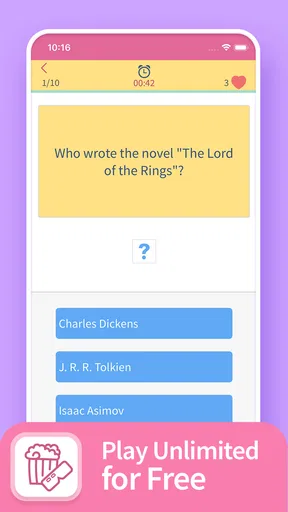
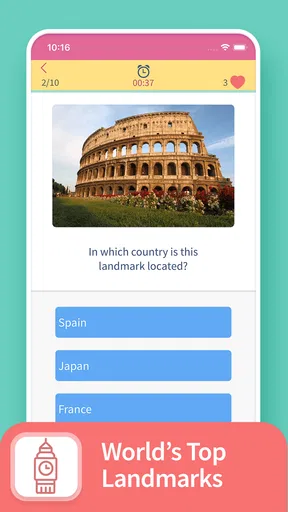
TRIVIA 360 is a general-knowledge quiz game for Android and iOS that challenges you with short, varied questions across topics such as history, science, geography, entertainment, sports, and everyday facts. During testing, its quick rounds made it suitable for short breaks, while the different question formats helped keep the experience from feeling like a simple multiple-choice quiz.
How does the gameplay work in TRIVIA 360?
The game presents timed questions and several quiz formats, including traditional multiple-choice questions, true-or-false challenges, identification tasks, and other visual or knowledge-based puzzles. You select an answer before the timer expires and receive immediate feedback. The fast pace is enjoyable, but players who prefer relaxed quizzes may find the countdown slightly stressful, especially on unfamiliar categories.
Can I play TRIVIA 360 offline?
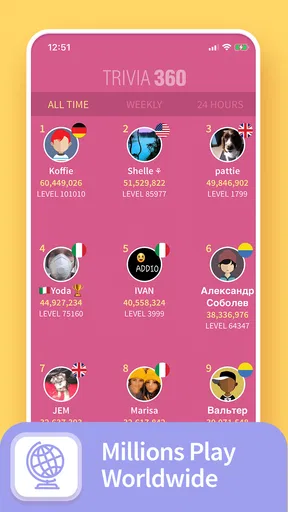
Some features and previously loaded content may remain available without a constant internet connection, but the complete experience can depend on online services. Leaderboards, advertisements, updates, synchronization, and certain game modes may require internet access. Before downloading, players should also check the current store description because offline availability can change with app updates and regional versions.
Is TRIVIA 360 free to download and play?
TRIVIA 360 can generally be downloaded for free, allowing users to try its main quiz experience without an upfront purchase. However, the free version may include advertisements, optional in-app purchases, or limitations connected to extra features and content. If you are downloading it for children, it is worth reviewing the purchase settings and privacy information before allowing unrestricted access.
Is TRIVIA 360 suitable for children and family play?
TRIVIA 360 can be entertaining for families because its questions cover a broad range of subjects and rounds are easy to understand. Nevertheless, difficulty varies, and some questions may be better suited to older children, teenagers, or adults. Parents should review the age rating, advertising, in-app purchase options, and any online features before installing it on a child’s device.
Play our best games!


